Searching the Catalogue
Search Menu
Use the menu on the left to find services that match your specific needs. The search filters can be used individually or in combination:
- Search Bar - Type in the name of the service, organisation, location or technique.
- Map Interface - Navigate the map to search for services in specific geographic locations.
- Organisation - Search by the name of the service provider.
- Method/Techniques - Browse available analytical methods, organised by overall technique type and relevant subcategories.
- Asset Types - Find services suited to specific materials or objects.
Combine multiple filters to narrow your results and identify the most suitable facilities for your research. Click the x next to a search term at the top of the catalogue to remove this filter. Use the 'Reset Filters' button at the bottom of search menus to return to the complete service listing.
Search Results
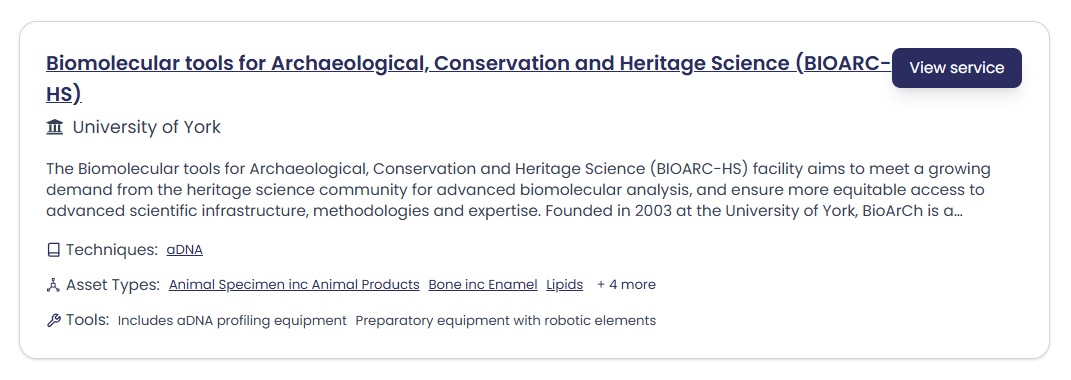
Your filtered results display as a list of services displaying the following information:
- Organisation name, location and a short description of services.
- A list of Techniques, Asset Types and Tools.
Interactive Tags - Click on any underlined Technique or Asset Type to instantly filter all services offering that capability. This creates a new search result focused on the selected term.
Expanding Lists - When a list displays '+ x more', click on the link to view the complete range of techniques, asset types, or tools available from that service.
Click the 'View Service' button from any search result to view the full Service Page.